Have you ever found yourself stuck in the endless loop of hunting for a printer that doesn’t break the bank yet delivers top-notch quality? If so, you’re not alone in the perfect print companion quest. We understand the struggles of juggling affordability, print speed, and reliability. But fear not! In this article, we will guide you through the maze of printer options, unravelling the challenges and highlighting why owning a printer isn’t just a convenience but a game-changer in your daily life.
From urgent work documents to cherished family photos, a reliable, affordable printer can be the unsung hero of your home or office. So, let’s embark on this journey together and discover the perfect printer solution that fits your budget and elevates your printing experience to a whole new level! Here are the 7 best budget printers below RM400 in Malaysia.
Do All Printers Need Wi-Fi?
No, not all printers require Wi-Fi connectivity. While many modern printers offer wireless capabilities for convenient printing from various devices, plenty of printers can function without Wi-Fi. Traditional wired connections, such as USB or Ethernet, remain common for connecting printers to computers.
These alternatives are reliable and suitable for users who prefer a direct and stable connection. So, whether in a Wi-Fi-rich environment or not, printers are available to suit your connectivity preferences and printing needs.
Do Printers Need Maintenance?
Yes, printers do require maintenance to ensure optimal performance and longevity. Regular maintenance tasks include cleaning printheads, checking for paper jams, and inspecting and replacing ink or toner cartridges as needed. Printers accumulate dust and debris over time, which can affect print quality and cause mechanical issues. Cleaning the interior and exterior of the printer is essential for preventing malfunctions and ensuring a clean output.
Additionally, performing firmware updates and keeping the printer software up to date helps improve compatibility and fix any potential bugs. By incorporating routine maintenance into your printer care routine, you can extend the lifespan of your printer and consistently produce high-quality prints.
Read more articles on other types of printers:
1. Best Photo Printers in Malaysia
2. Best Portable Label Printers in Malaysia
3. Best Ink Printers in Malaysia
7 Best Budget Printers Below RM400 in Malaysia 2026
1. HP 107A Monochrome Laser Printer
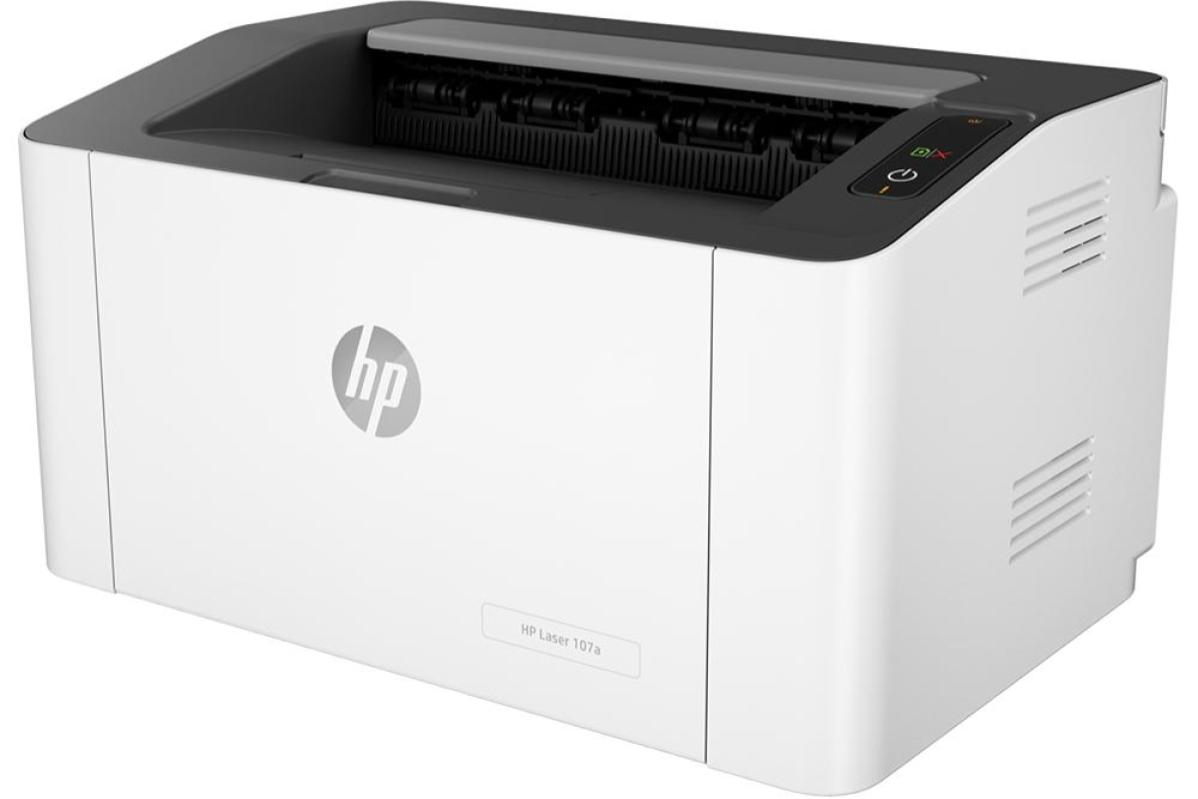
The HP 107A Monochrome Laser Printer offers an affordable and compact solution for your printing needs. With a 3-year warranty, it ensures reliability and trust in its quality. Despite its small size, this laser printer delivers exceptional black text quality page after page. It fits seamlessly into any workspace and is designed to work exclusively with cartridges containing a new or reused HP chip, enhancing security.
Specifications:
- Connectivity: Wireless
- Print Speed: 21 ppm
Pros:
✅ Rapid print speed
✅ Wireless printing capability
✅ Efficient paper handling
Price: RM329.00
*Prices may vary at the time of purchase
2. CANON Pixma E560 All-In-One Printer
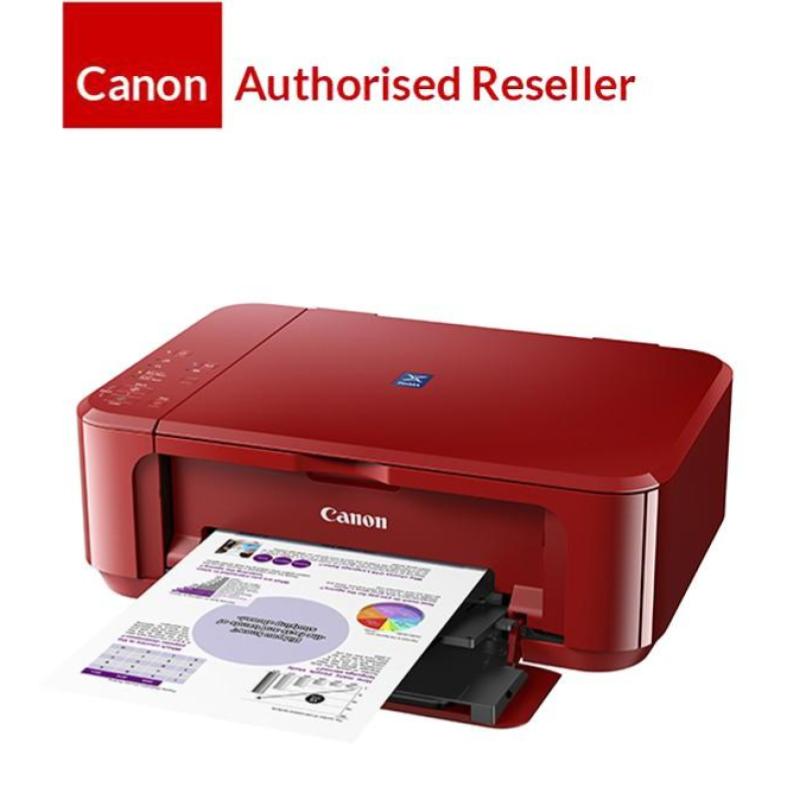
The CANON Pixma E560 All-In-One Printer is a versatile, wireless printer that excels in printing, scanning, and copying. With a 3-year warranty, it offers long-term reliability. Its ISO standard print speed of up to 9.9 ipm for black and 5.7 ipm for colour ensures efficient and high-quality printing. The printer supports wireless connectivity, duplex printing, and borderless printing for convenience.
Specifications:
- Connectivity: Wireless
- Print Speed: 9.9 ppm (Black), 5.7 ppm (Colour)
Pros:
✅ High-resolution flatbed scanner
✅ Efficient ISO standard print speeds
✅ Suitable for a monthly print volume of 80-400 pages
Price: RM366.00 – RM375.00
*Prices may vary at the time of purchase
3. Brother HL-1210W Printer
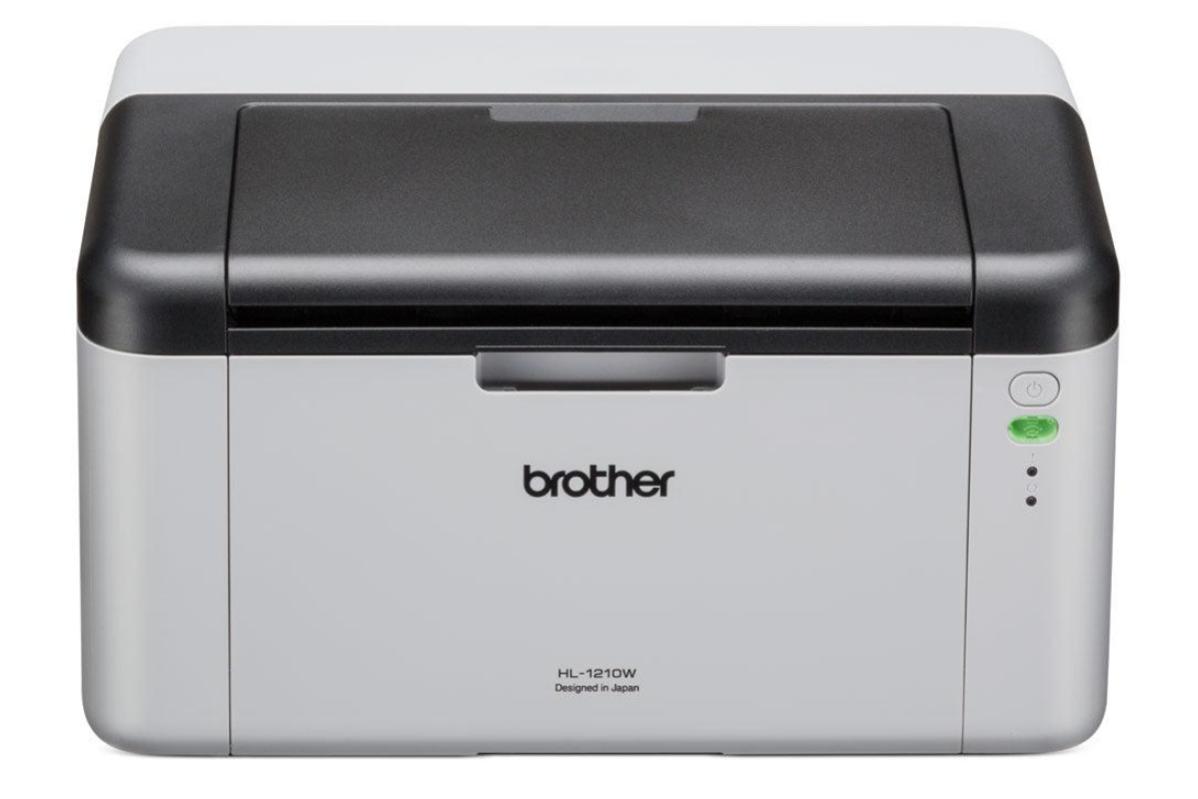
The Brother HL-1210W Printer is an affordable mono laser printer offering ultra-fast printing speeds of up to 20 ppm. With a 3-year warranty, it combines speed and reliability. The printer supports USB, wireless, and mobile connectivity for flexible printing options. Its 600 x 600 dpi printing resolution ensures sharp and clear prints. Ideal for home offices, the printer’s 150-page paper capacity saves time on refills.
Specifications:
- Connectivity: Wireless
- Print Speed: 20 ppm
Pros:
✅ Ultra-fast printing speed
✅ High printing resolution of 600 x 600 dpi
✅ Ideal for home offices
Price: RM369.00 – RM519.00
*Prices may vary at the time of purchase
4. Pantum P2506W Monochrome Printer

The Pantum P2506W Monochrome Printer offers fast-speed printing, with 23 pages per minute and a 7.8-second first-page-out time. Its 600 MHz processor and 128 MB memory contribute to faster results. The built-in Wi-Fi enables wireless printing, making printing from your phone or tablet convenient. It is Compatible with Android and iOS and supports the Mopria Print Service for easy printing from your Android device.
Specifications:
- Connectivity: Wireless
- Print Speed: 23 ppm
Pros:
✅ Robust metal frame
✅ Eco-friendly
✅ Fast-speed printing
Price: RM269.90 – RM386.80
*Prices may vary at the time of purchase
5. HP DeskJet Printer

The HP DeskJet Printer is a versatile and affordable option that combines print, copy, and scan functions with wireless connectivity. With a sleek design, this printer is suitable for various settings. It offers a moderate printing speed of up to 7.5 ppm in black and 5.5 ppm in colour, making it efficient for everyday use. The first page out is as fast as 15 seconds, ensuring you don’t have to wait long for your documents.
Specifications:
- Connectivity: Wireless
- Print Speed: 7.5 ppm (Black), 5.5 ppm (Colour)
Pros:
✅ All-in-one functionality
✅ Fast First Page Out
✅ Suitable for regular printing needs
Price: RM189.00 – RM229.00
*Prices may vary at the time of purchase
6. Canon Pixma E410 Printer
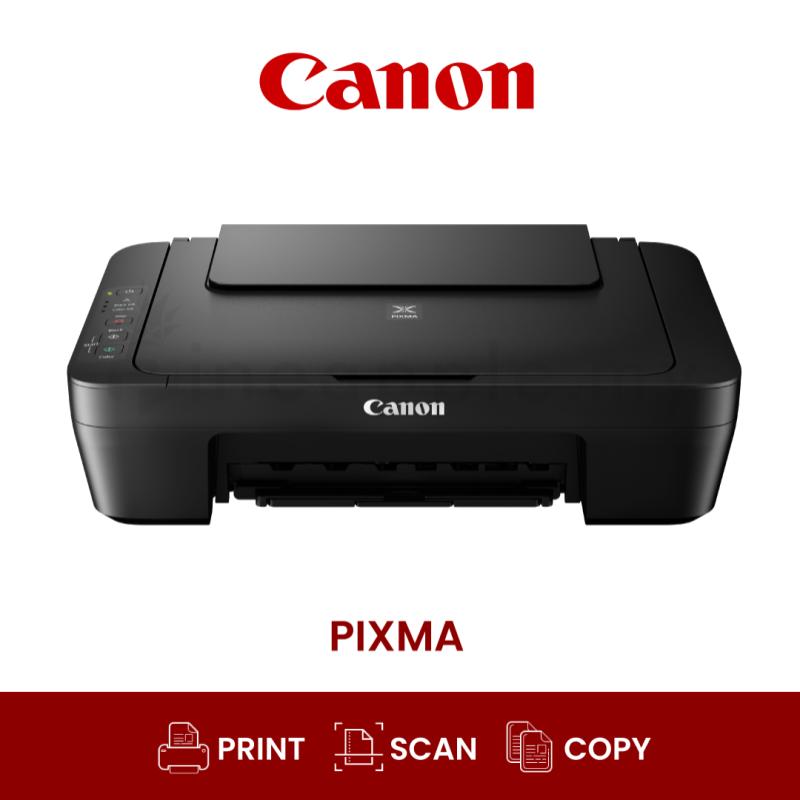
The Canon Pixma E410 Printer offers an efficient printing solution with an installed Continuous Ink Supply System (CISS) to extend the printhead’s lifespan. While it lacks wireless connectivity, it compensates with a USB cable connection for laptops or an OTG cable connection for phones. The printer excels in its multifunctionality, providing print, scan, and copy features. It balances speed and quality with an ISO standard print speed of up to 8.0 ppm in black and 4.0 ppm in colour.
Specifications:
- Connectivity: Wired
- Print Speed: 8.0 ppm (Black), 4.0 ppm (Colour)
Pros:
✅ Extended printhead life
✅ Cost-effective
✅ Versatile paper handling
Price: RM279.00 – RM345.90
*Prices may vary at the time of purchase
7. Brother HL-1110 Printer
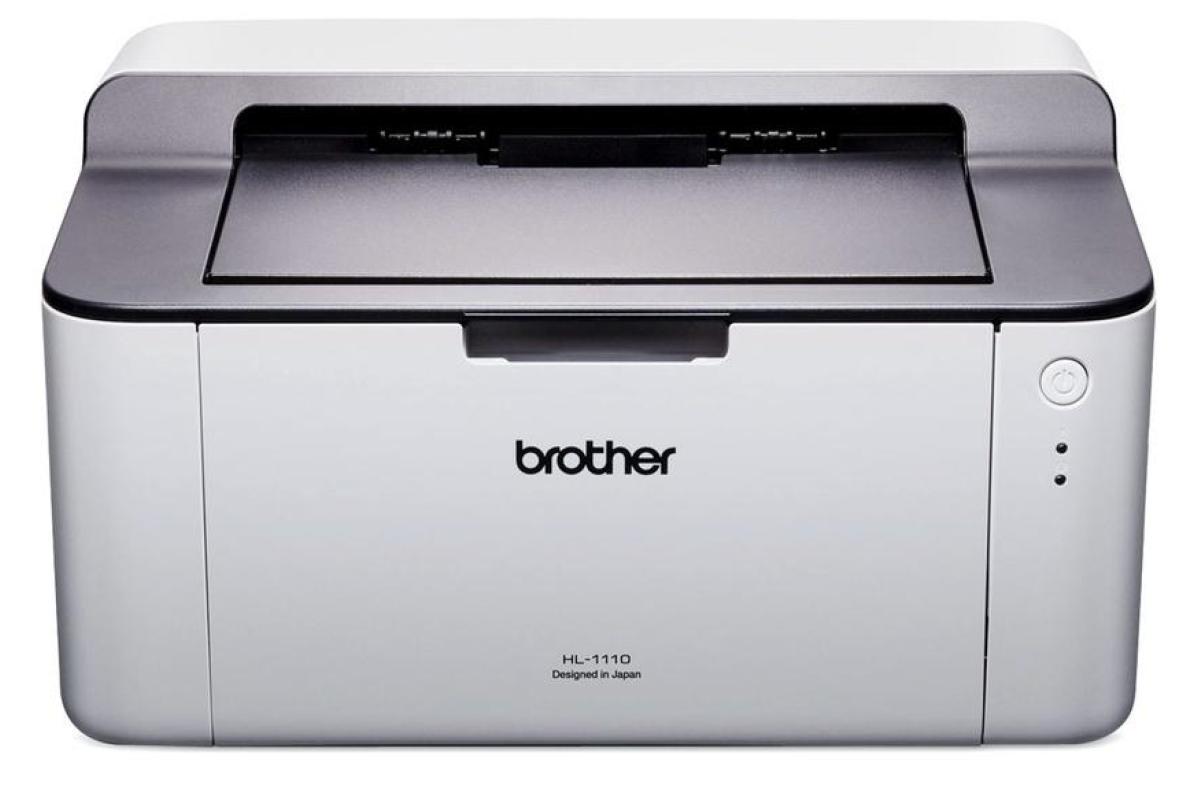
Brother HL-1110 Printer stands out for its high-quality and efficient monochrome printing capabilities. With a print speed of 20ppm and a resolution of up to 2400 x 600 dpi, it ensures sharp and clear prints. The stylish and compact design and reliability make it suitable for various environments. The printer features a 150-sheet paper tray for convenience and a full-speed USB 2.0 interface for seamless connectivity.
Specifications:
- Connectivity: Wired
- Print Speed: 20 ppm
Pros:
✅ Prevents paper jams
✅ Built for durability
✅ Designed for space efficiency
Price: RM299.00
*Prices may vary at the time of purchase
Disclosure: This list was compiled by the team at My Weekend Plan after extensive research and shared opinions to suggest helpful recommendations for the public. The sequence of brands is in no particular order so if you have any other great suggestions too, please email us support@myweekendplan.asia. For more information, kindly refer to our copyright, privacy & disclosure policy.