Apple gave us a glimpse into the future with iOS 18 WWDC24 on June 10, 2024, set to revolutionise the iPhone experience. With iOS 18, you can arrange apps and widgets anywhere on your Home Screen, customise Lock Screen buttons, and access controls more quickly in the Control Centre.
With satellite communication capabilities built into the Messages app, you can stay in touch without a cellular or Wi-Fi connection. iOS 18 empowers users to make their iPhones their own, enhancing functionality and connectivity to enrich their daily lives.
iOS 18 New Features
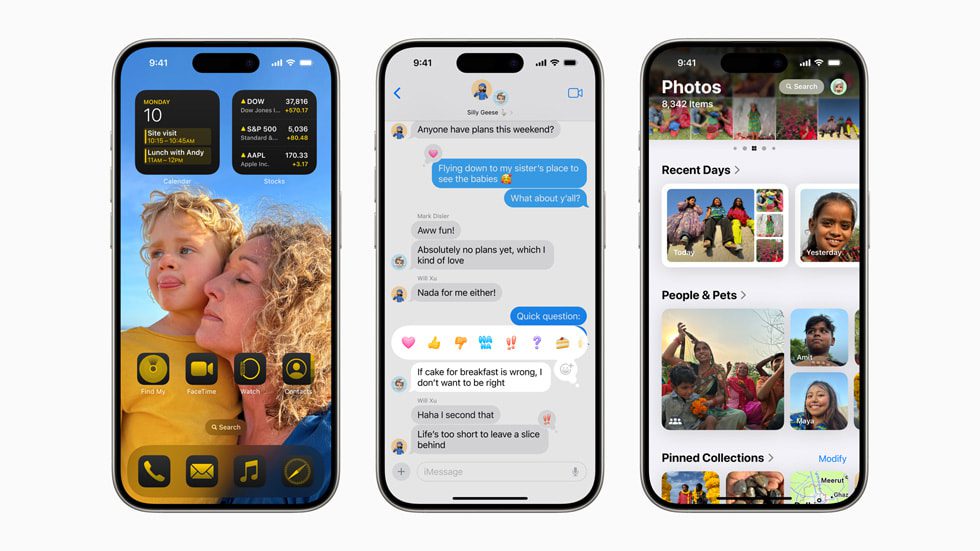
Customisation Features
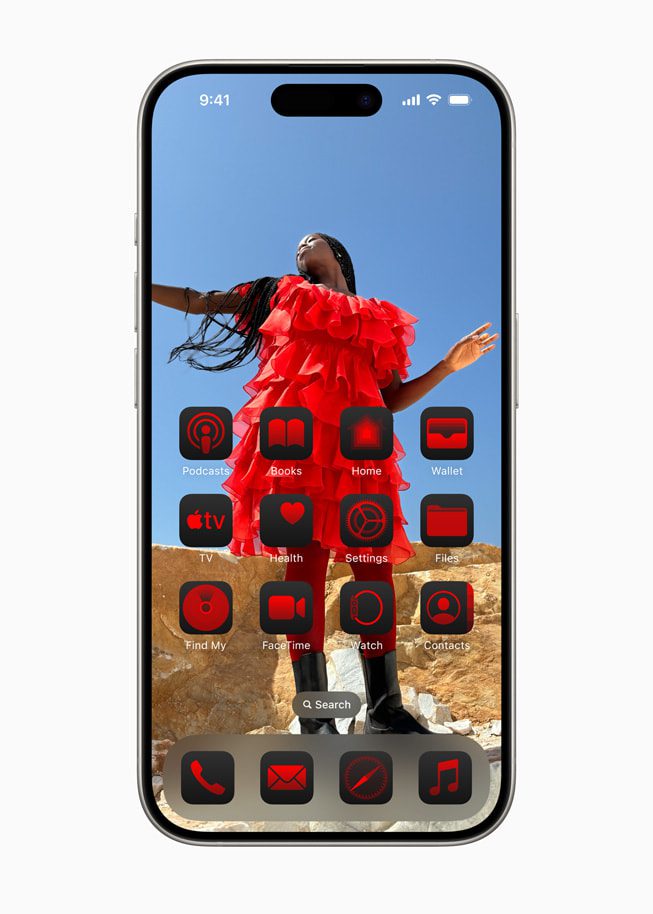
In iOS 18, iPhone users can easily organise apps and widgets. You can place them anywhere on the Home Screen, even above the dock. Plus, you can customise app icons and widgets with dark or tinted effects and make them larger.
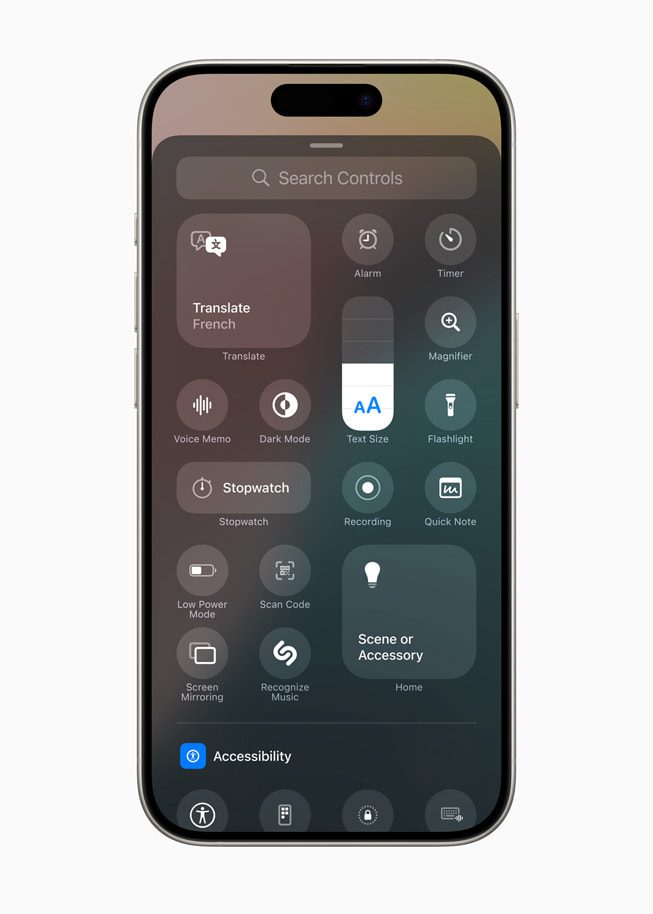
The Control Center has been revamped for quicker access to your most-used controls, like media playback and home settings. You can easily swipe between different controls and add controls from supported third-party apps to the Control Center.
Video Credit: Apple
For the first time, you can customise the controls at the bottom of the Lock Screen. Choose from options in the controls gallery or remove them altogether. It’s all about personalising your iPhone experience in iOS 18!
Photos Features
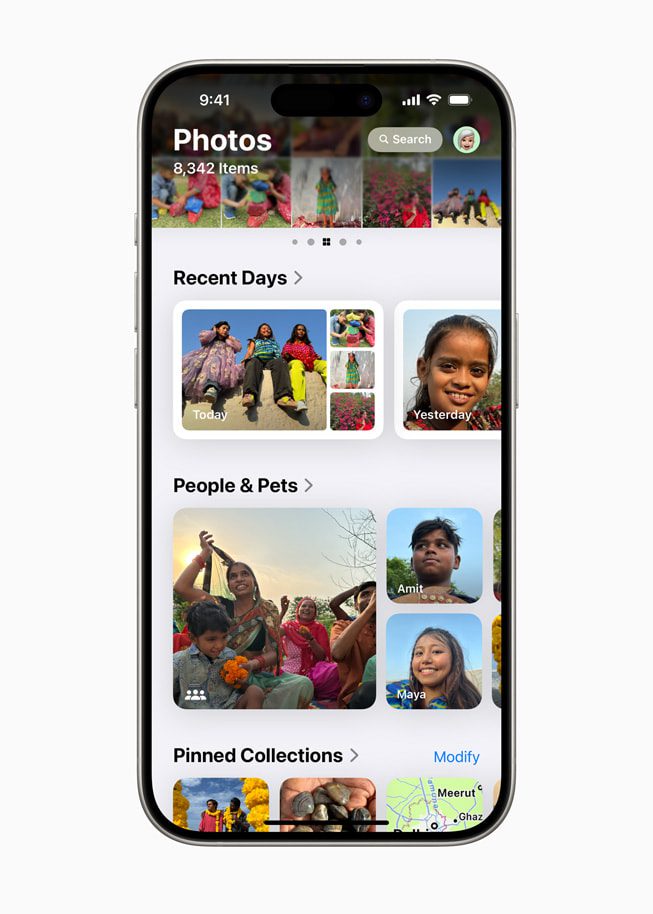
In iOS 18, the Photos app gets a fresh look with a simpler, single view showing the familiar grid. New collections make it easier to browse by theme, and you can pin favourites for quick access. Plus, a daily carousel highlights favourite people, pets, and places. With auto-playing content, your photo library comes alive as you browse.
Messages Features
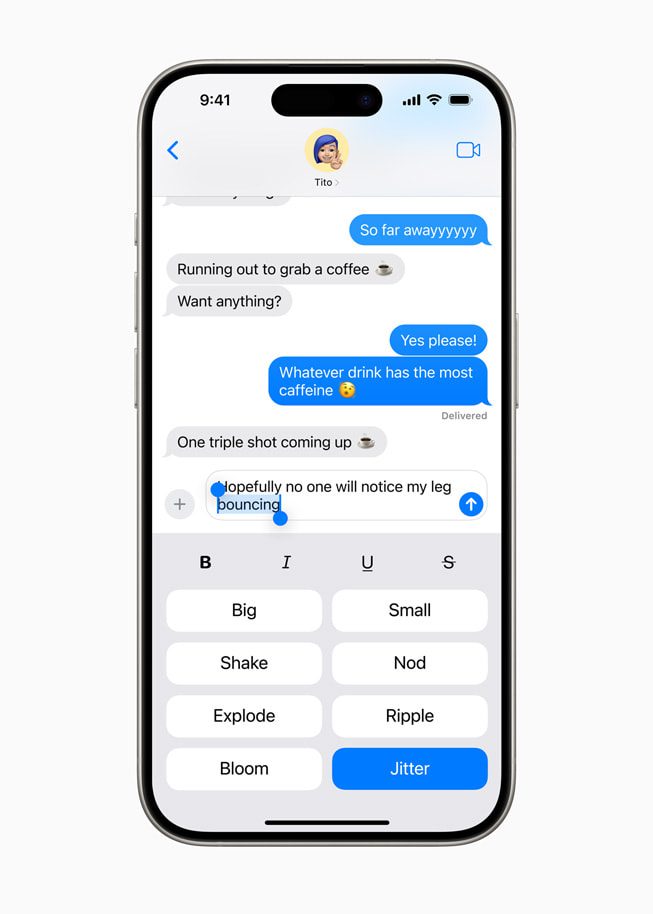
iMessage is getting a fun upgrade with new text effects that bring letters, words, phrases, and emojis to life with animations. Users can now format their messages with bold, underlined, italics, and strikethrough options.
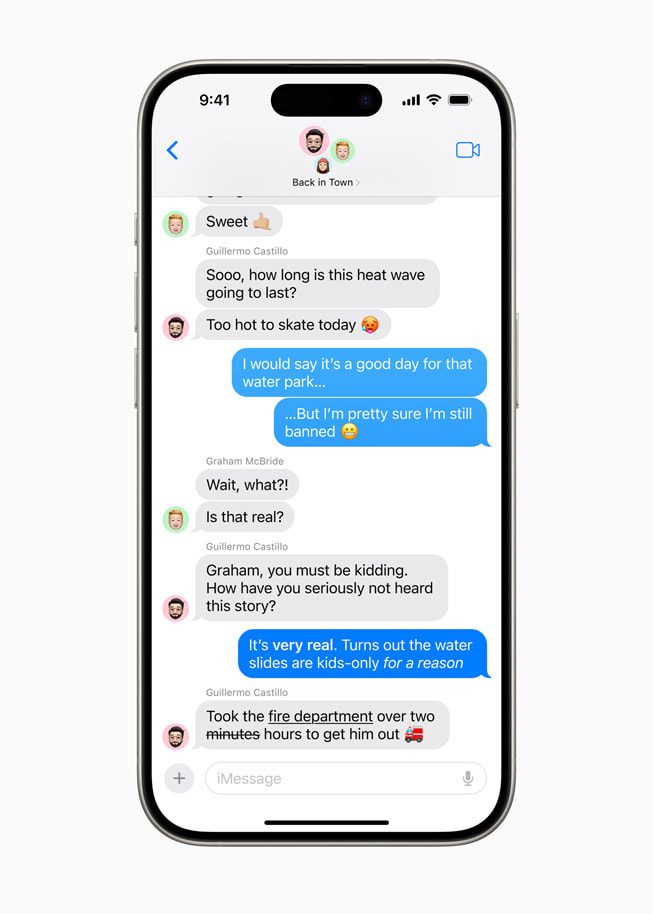
For those messaging contacts without Apple devices, the Messages app now supports the RCS (Rich Communication Services) protocol, offering richer media and more reliable group messaging than traditional SMS and MMS.

In iOS 18, Messages introduces a feature called Messages via satellite, which comes in handy in areas without cellular or Wi-Fi connections. It lets you send and receive texts, emojis, and Tapbacks over iMessage and SMS directly via satellite. Just open the Messages app; if no connection is available, it’ll prompt you to connect to the nearest satellite. However, SMS availability may vary depending on your wireless carrier, and additional fees may apply.
Mail Features
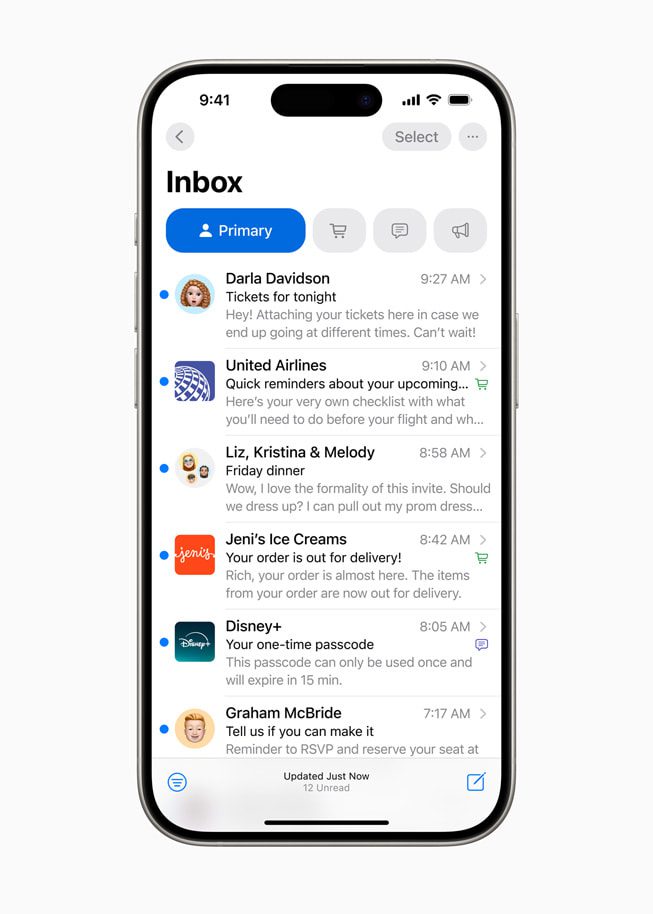
Exciting news! The Mail app is getting fantastic upgrades for the new iOS update to help you easily handle your inbox. Your emails will be neatly sorted into categories like Personal, Receipts, News, and Deals. A new digest view will gather all the essential emails from a single sender to quickly find what you need. Keep an eye out for these handy updates coming your way soon!
Safari Features
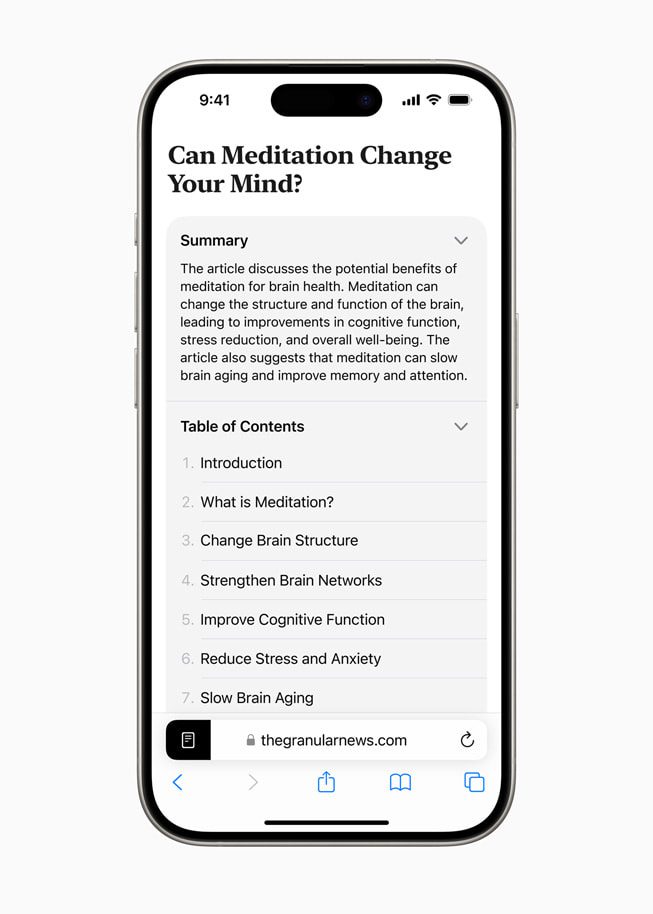
Safari has made web browsing easier with Highlights and an improved Reader experience. Using machine learning, Safari helps you effortlessly find essential information on web pages. The Reader feature has been redesigned to offer more ways to enjoy articles, including summaries and table of contents for longer reads.
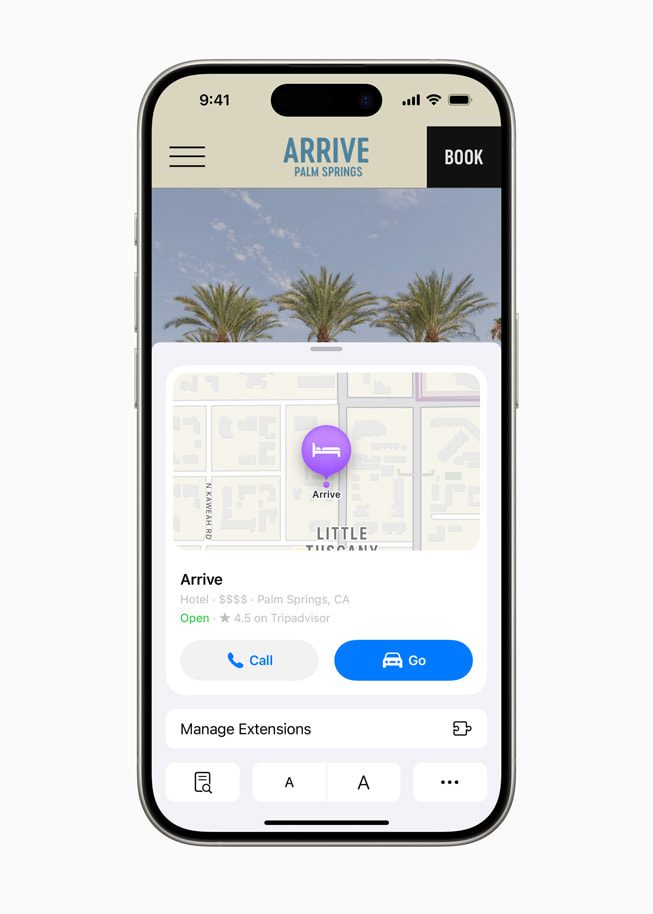
In iOS 18, Safari’s got your back with intelligent features. It can summarise an article, show you where a restaurant is, or play a song mentioned in an article. The Reader feature has been upgraded to offer distraction-free reading, including summaries and table of contents for longer articles.
Passwords App
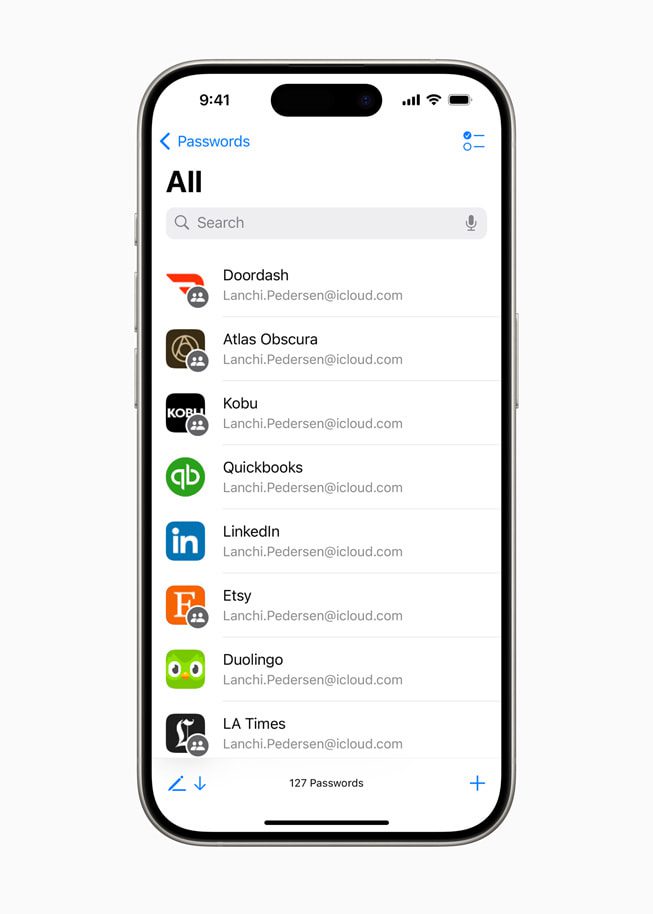
Apple iOS 18 introduces the Passwords app, a modern take on the trusted Keychain system from over 25 years ago. This handy app simplifies access to passwords, passkeys, Wi-Fi, and verification codes all in one place. Additionally, it offers alerts to notify users about potential security risks, like easily guessed or reused passwords and those found in data breaches.
Privacy Features
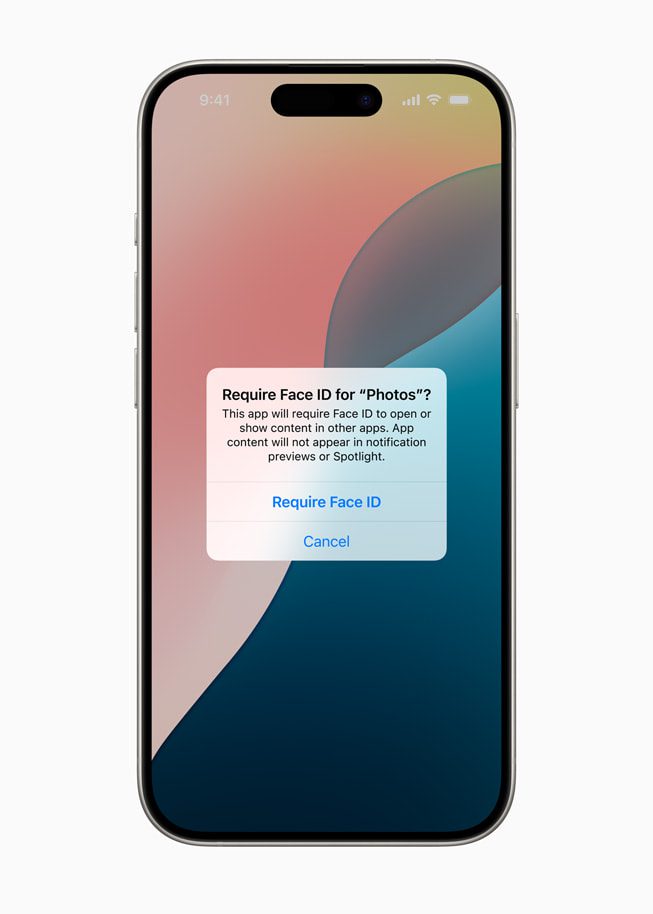
iOS 18 offers users enhanced control over their privacy settings, allowing them to easily manage app visibility, contact sharing, and device connections. Locked and hidden apps provide added peace of mind by safeguarding sensitive information, such as app notifications and content, from prying eyes.

Users can lock or hide an app in a secure folder, ensuring its contents remain confidential and inaccessible from search, notifications, and other system areas. This update introduces a novel approach to privacy management, empowering users to selectively share contacts with apps and securely connect third-party accessories to their iPhones. Developers can now establish connections with iPhone accessories without accessing other devices on the user’s network, preserving device privacy and enabling seamless pairing.
Apple Intelligence and Siri
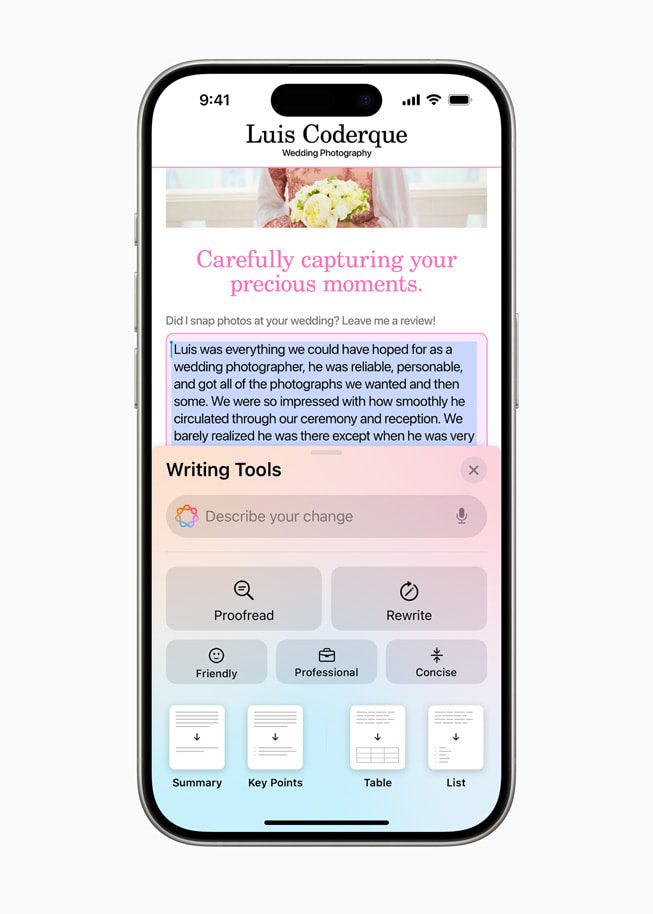
Apple unveiled “Apple Intelligence,” introducing many new AI-driven features. iOS 18 introduces Writing Tools that allow rewriting, proofreading, and summarising text across various apps. The new Image Playground, available as a standalone app and integrated into messaging apps, lets users create playful images in animation, illustration, or sketch styles.
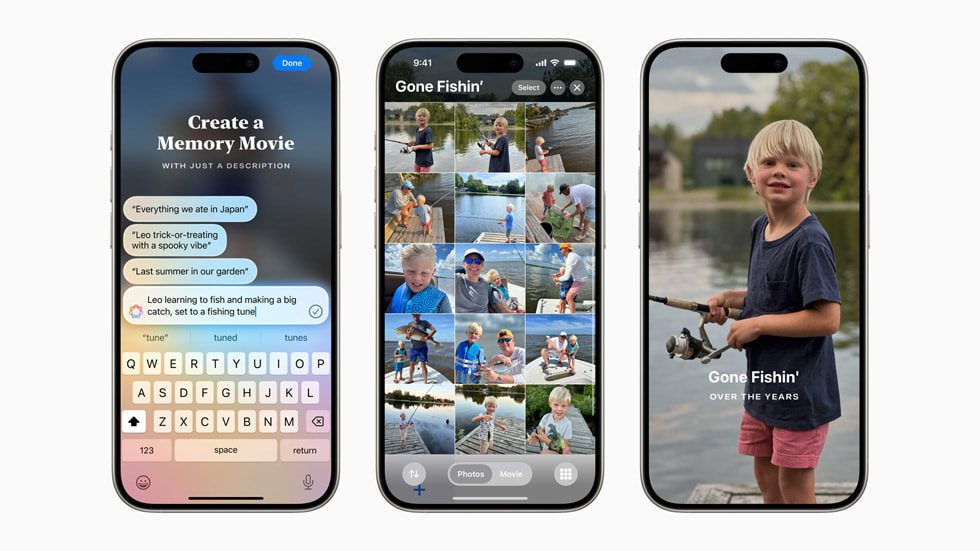
Memories in the Photos app offer a unique storytelling experience by allowing users to type descriptions, with the app arranging photos and videos into a cohesive narrative. Furthermore, a new Clean Up tool can identify and remove distracting elements from photo backgrounds. Siri and Apple’s systemwide Writing Tools will integrate OpenAI’s ChatGPT, enhancing user experience across all Apple platforms.
Additional Features in iOS 18
- Discover exciting hiking adventures on Apple Maps! Easily create your walking routes, even offline. Save your favourite spots and add personal notes in the new Places Library.
- Elevate your gaming experience with Game Mode! Enjoy smoother gameplay and super-responsive wireless accessories like AirPods and game controllers, especially during long sessions.
- Enjoy new Apple Pay features for more manageable payments! Redeem rewards, access instalments, and send/receive Apple Cash with a simple tap. Get richer event experiences with tickets in Apple Wallet, which features stadium details and more.
- SharePlay with Apple Music makes listening together more fun! You can share music control from HomePod, Apple TV, or Bluetooth speakers. Experience enhanced AirPods interactions and more apparent call quality in any environment.
- Math Notes in the Notes app instantly solves formulas and equations while typing. You can organise and highlight your notes with collapsible sections for better emphasis.
- Keep track of your journaling journey with the Journal‘s new insights view! The Health app allows you to search and sort entries easily, log your mood, and save mindful minutes. Enjoy new features like audio transcription and widget support.
- The calendar will show both events and tasks from Reminders. Users can create, edit, and complete reminders from the Calendar, and the updated monthly view provides an overview of events and tasks at a glance.
- The Health app redesigns Medical ID for easier emergency access. Stay informed during pregnancy with personalised adjustments and recommendations.
- Share context during emergencies with Emergency SOS Live Video! Stream video and media to emergency dispatchers for quicker assistance.
- The Home app introduces guest access to smart home control. With Ultra Wideband technology, unlock doors effortlessly and manage home energy usage conveniently with updated Energy features.
- Accessibility updates include Eye Tracking for hands-free iPhone navigation, Music Haptics for a tactile music experience, and Vocal Shortcuts for custom task execution through sound cues.
iOS 18 Compatible Devices
Check out the lineup of iPhones set to receive the iOS 18 update. Surprisingly, the iPhone Xs family remains on the list, much to the delight of those still using these older devices. iOS 18 will be available this fall as a free software update for iPhone Xs and later.

The developer beta of iOS 18 is available through the Apple Developer Program at developer.apple.com starting today, and a public beta will be available through the Apple Beta Software Program next month at beta.apple.com.
Source: Apple.com
What is your opinion? Read, share, and like, okay!
Attention: The admin will not be directly responsible for the comments made by our readers. Therefore, all comments are the right and responsibility of the readers themselves.