Apple introduced Apple Intelligence, a personal intelligence system for the iPhone, iPad, and Mac, on June 10, 2024, at WWDC24. It’s like integrating an intelligent assistant into your devices, making your experience more intuitive and personalised. With iOS 18, iPadOS 18, and macOS Sequoia, Apple Intelligence uses advanced technology to understand your needs and provide helpful suggestions. Moreover, it’s a tool that reassures you, prioritising your privacy with its innovative and cutting-edge Private Cloud Compute feature, ensuring your data stays secure while still delivering powerful AI capabilities.
Explore the Latest Enhancements With Apple Intelligence’s New Features.
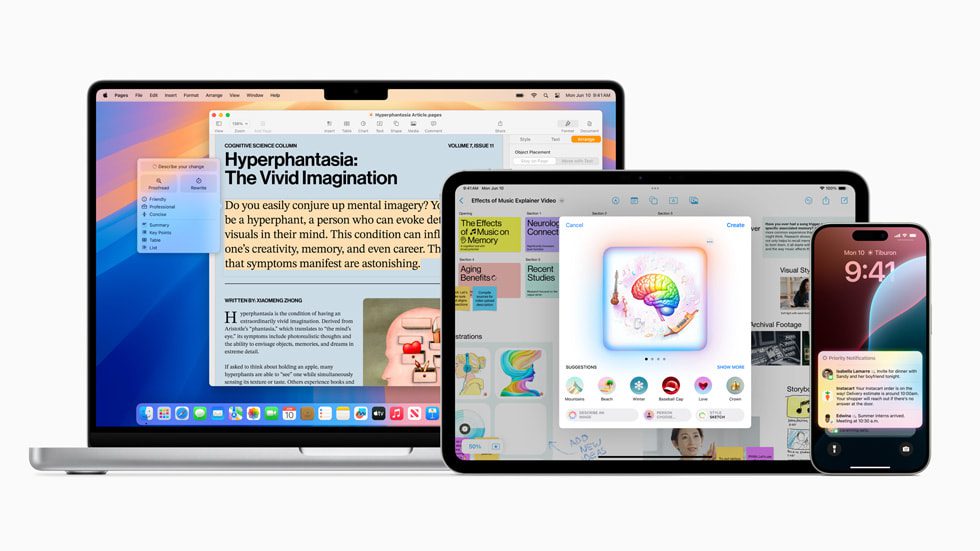
Writing Tools
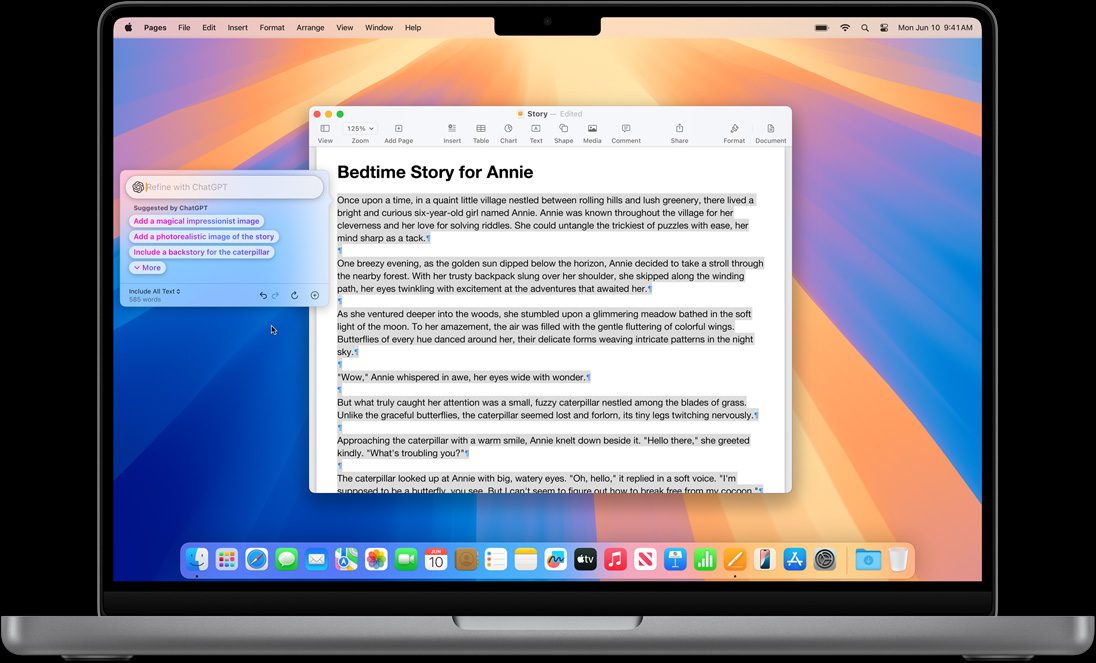
Apple Intelligence introduces innovative Writing Tools and assists you in finding the perfect words wherever you write. Now, with better language skills, you can quickly sum up a whole lecture, skim through lengthy group chats for the gist, and keep focus by prioritising notifications.
Revolutionise your communication with innovative Writing Tools that proofread your text, tweak it until it sounds perfect, and summarise passages with a simple tap. These tools are accessible across various writing platforms, making your writing experience seamless.
Genmoji
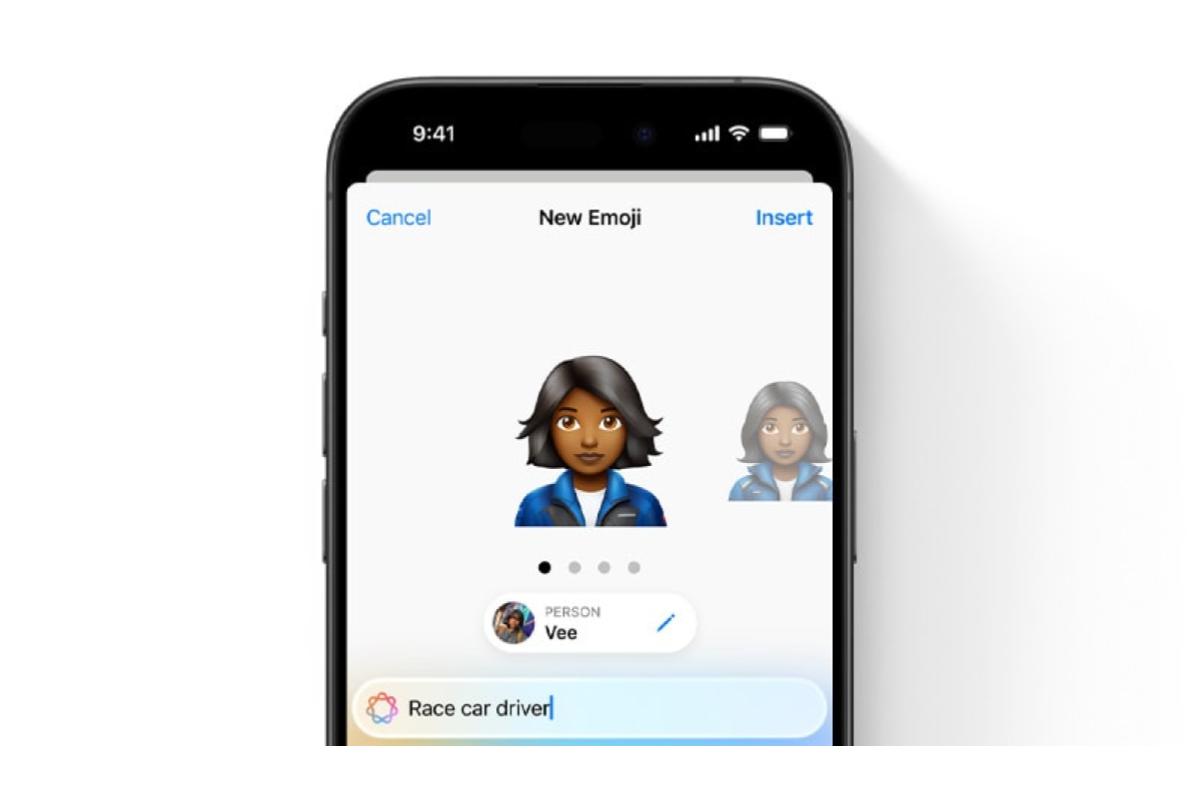
Even more remarkable is that you can now use AI to craft your emojis. With the Genmoji feature, simply snap a photo of someone and watch as it’s turned into a personalised emoji. Tweak it with text commands, perfect the description, and voila! You’ve got a custom Genmoji ready for any chat. You can even select a photo from your library to create an emoji that resembles someone you know.
Image Playground

With Image Playground, you can create unique images within your favourite apps in seconds. It’s a breeze to turn descriptions into visuals, suggest concepts, or use faces from your photo library. You can also effortlessly tweak styles to match your Messages, Freeform board, or Keynote slides.
Plus, Image Playground works seamlessly across many Apple apps and is available as its app. Best of all, all the magic happens on your device, so your privacy is always protected—there is no need for internet access.
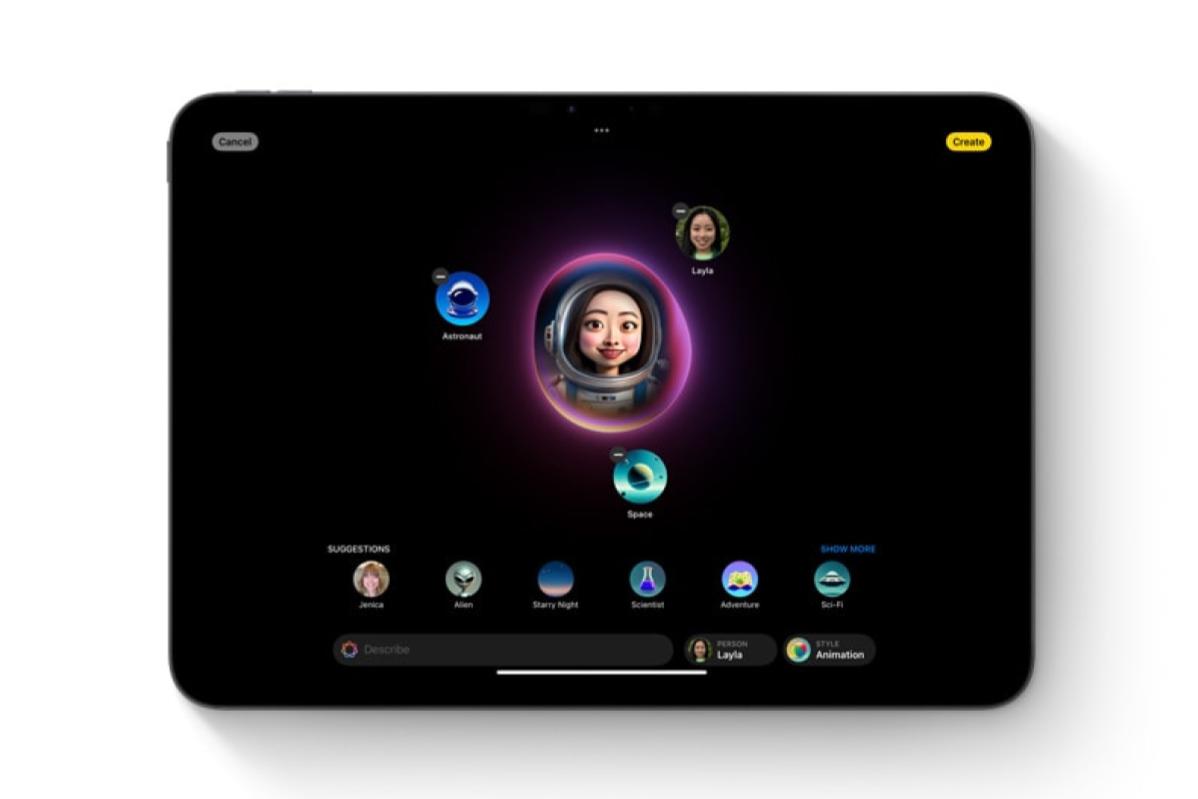
Get creative with the Image Playground app! Explore various styles, such as animation, illustration, and sketch, to craft unique images. Share your creations with friends on social media or in other apps.
In messaging apps, Apple Intelligence assists you in creating AI-generated images based on monthly themes and your contacts’ profile pictures. With Apple Image Playground, you can choose from sketch, illustration, and animation styles.
Siri

Meet the new Siri – now powered by Apple Intelligence for even more amazing capabilities. Chatting with Siri feels incredibly natural and has a fresh look. Siri’s got your back with personalised assistance and in-depth knowledge about your devices. This new enhancement also offers better language comprehension and the option to type your queries with seamless app integration. Get ready for a whole new level of help!
With Siri, you can get personalised intelligence that suits you and your device information. Just say, “Play Jamie’s recommended podcast,” and Siri will find and play it, even if it was mentioned in a text or email. Or ask, “When does Mom’s flight arrive?” and Siri will fetch the details and track the flight for you, giving you the arrival time.
Priority Notification
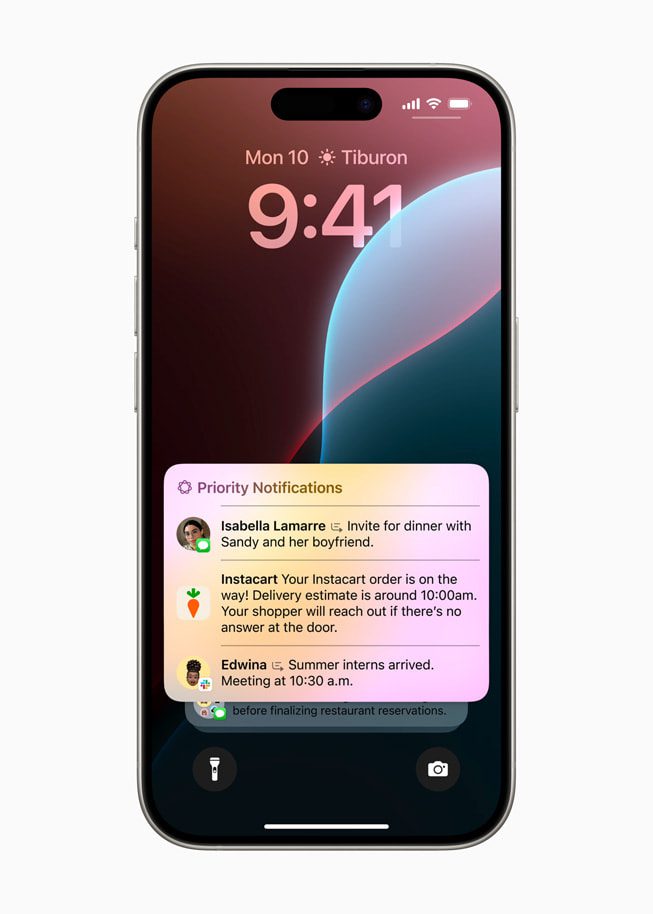
Apple upgraded how Notifications work, making them more user-friendly. Important notifications are now prioritised at the top, with summaries provided for long ones. For instance, when a group chat gets lively, you’ll see critical details on the Lock Screen. Plus, with Reduce Interruptions, Apple has introduced a new Focus feature. You’ll only be notified about things that need immediate attention, such as a text about an early daycare pickup.
Siri now understands language better and sounds more natural when you chat with her. If you mention something from a previous conversation, like the location of a calendar event, and ask about the weather there, Siri gets it right away.
Personal Context
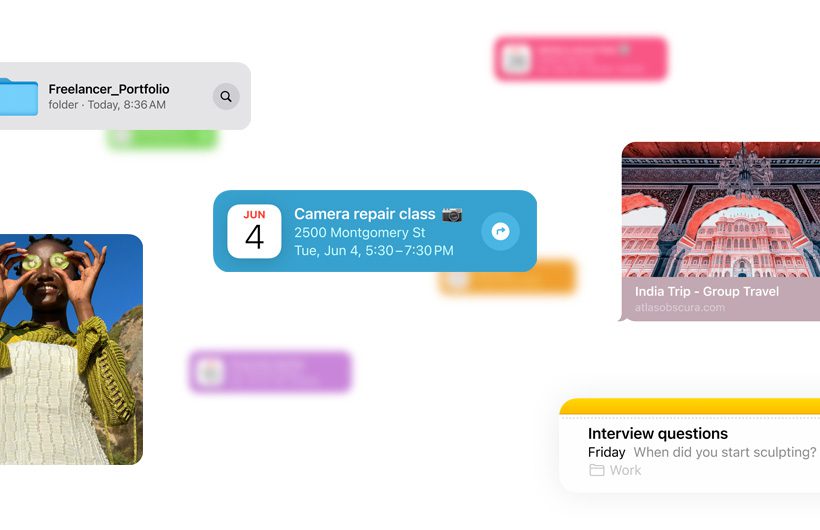
Siri knows you inside out, so it can assist you in ways that are tailored just for you. Forget where you saved that recipe or your passport number? No worries! Siri taps into your device’s info to locate what you need, all while keeping your privacy intact.
Memory Movie
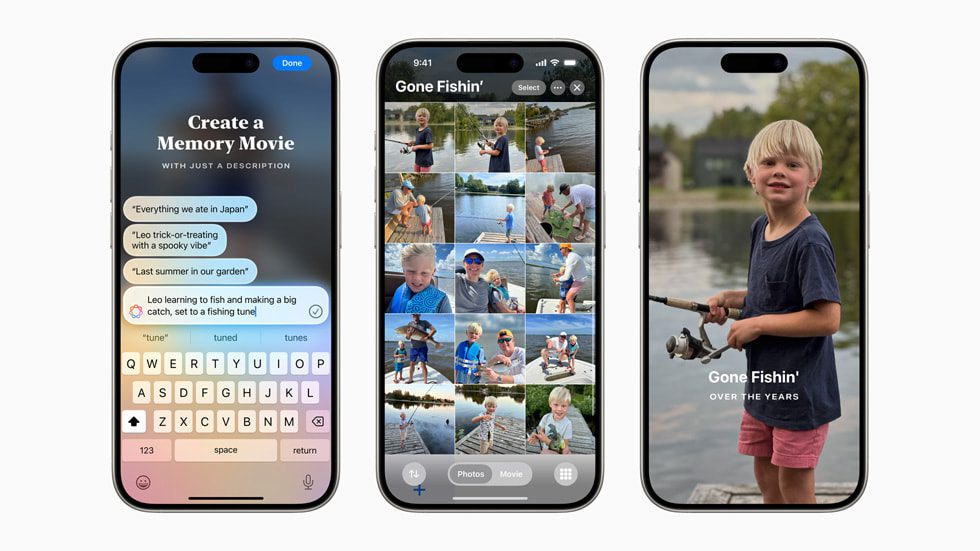
In Photos, you can easily craft your memory movie. Just describe the story you want to tell, and let Apple Intelligence do the rest. It’ll find the perfect photos and videos, create themed chapters, and arrange everything into a captivating movie.
Searching for photos is a breeze, too! Simply describe what you’re looking for, and Apple Intelligence will find it. It can even pinpoint specific moments in video clips that match your description.
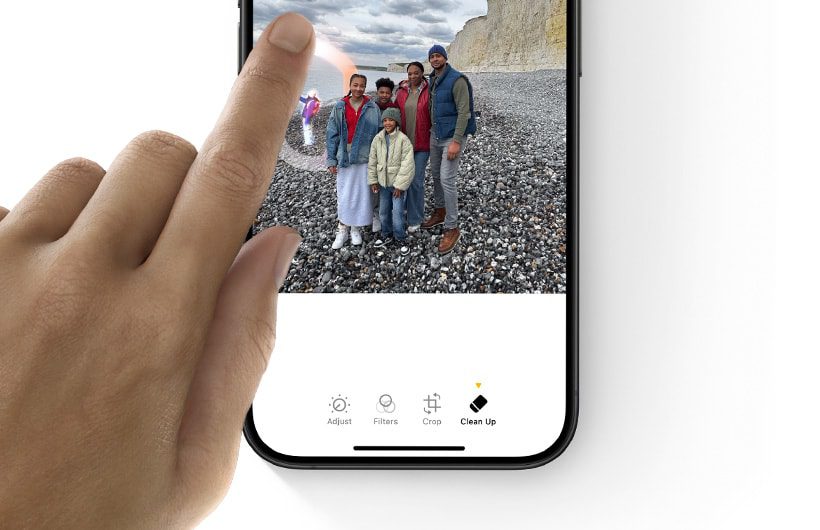
And when it comes to perfecting your photos, the Clean Up tool has your back. Let Apple Intelligence identify background objects and remove distractions with a single tap, all while maintaining the original image’s integrity.

With Memories, you can tell your story effortlessly. Just type a description, and Apple Intelligence will choose the perfect photos and videos, creating a beautiful movie with its storyline. Plus, you’ll get song suggestions from Apple Music that match your memories perfectly. And don’t worry – your photos and videos always stay private on your device.
Integrated ChatGPT
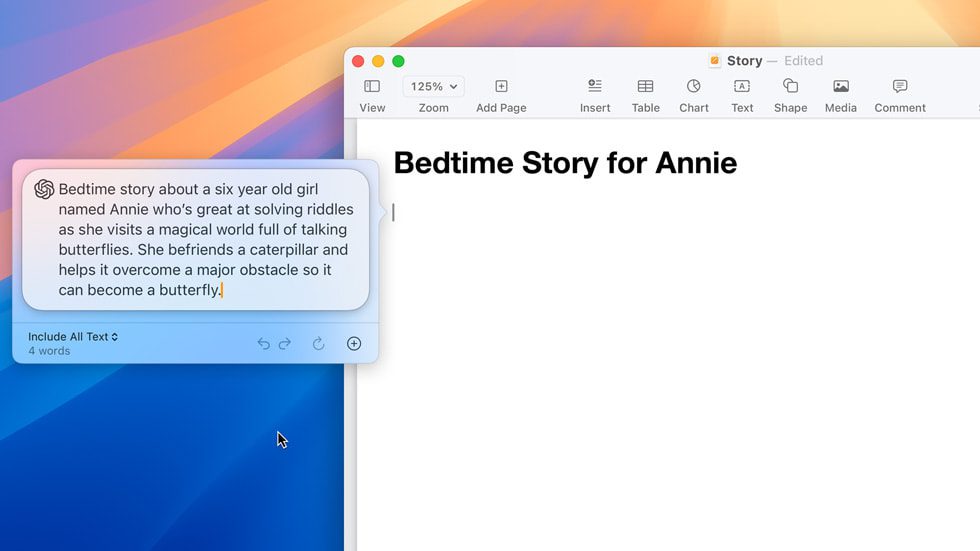
Now, Siri and Writing Tools are powered by ChatGPT from OpenAI, providing expert assistance without the hassle of switching between apps. Siri can use ChatGPT for specific tasks like photo or document inquiries. Plus, you can craft and design your content effortlessly with Compose in Writing Tools.
You’re in charge of when ChatGPT is employed, and your consent is always sought before any data is shared. ChatGPT is available to everyone at no cost without needing to sign up. Subscribers can link accounts to access premium features within these tools.

Siri can now consult with ChatGPT whenever it’s beneficial. Users are asked for permission before sending any questions, documents, or photos to ChatGPT. Then, Siri provides the answer directly.
Moreover, ChatGPT is integrated into Apple’s Writing Tools, allowing users to generate content for any topic they’re writing about effortlessly. With Compose, users can also use ChatGPT’s image tools to create images in various styles that complement their writing.
Availability

Apple Intelligence is seamlessly integrated into iOS 18, iPadOS 18, and macOS Sequoia, and guess what? It’s free to use! Plus, it’s making its way to Xcode to assist developers in crafting Swift-based apps. Exciting, right? You’ll experience it soon but need an iPhone 15 Pro, an M1-based iPad, or a Mac to get in on the action.
Here’s the full list of Apple devices that can run the company’s Apple Intelligence AI:
iPhone
- iPhone 15 Pro Max
- iPhone 15 Pro
iPads
- Any iPad Pro with an M1 chip or newer
- Any iPad Air with an M1 chip or newer
Macbook
- Any MacBook Air with an M1 chip or newer
- Any MacBook Pro with an M1 chip or newer
Macs
- Any iMac with an M1 chip or newer
- Any Mac mini with an M1 chip or newer
- Any Mac Studio with an M1 Max chip or newer
- Any Mac Pro with an M2 Ultra chip or newer
This launch is about more than just keeping up with the competition. It’s Apple’s way of stepping up against Google’s AI in Android and Microsoft’s Copilot. And hey, it’s also a gentle reminder that Apple believes in making advanced AI accessible to all, unlike Samsung’s plans to charge for Galaxy AI features. With Apple, generative AI becomes a core feature, with no extra fees required. It sounds like a win-win. For more information, visit apple.com/apple-intelligence.
Source: Apple.com
What is your opinion? Read, share, and like, okay!
Attention: The admin will not be directly responsible for the comments made by our readers. Therefore, all comments are the right and responsibility of the readers themselves.